
Getting help and support
How do I open the support widget?
To access support resources in Curia:
- Look for the Support icon (a life ring) on the left-hand menu of the Curia interface
- If the menu is expanded, you'll see the word "Support" next to the icon
- If the menu is collapsed, you'll see the life ring icon only
- Click on the Support icon to open the support widget


What can I do in the support widget?
The support widget offers three main functions:
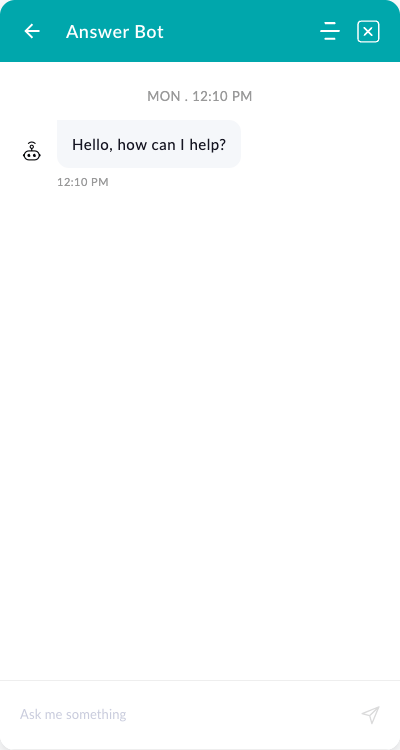
- Use the chatbot - Get quick answers without searching for specific articles
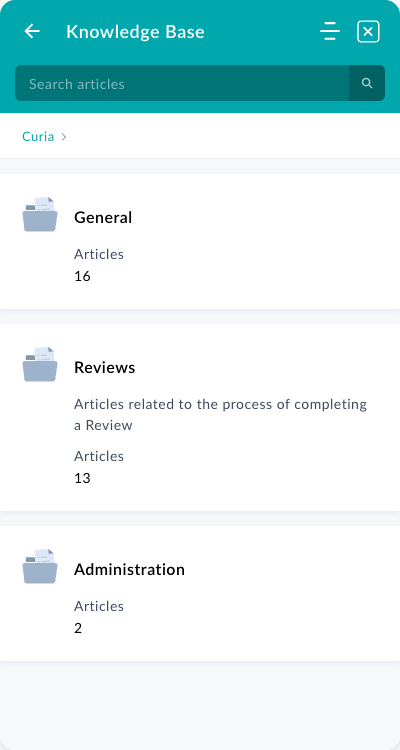
- Access the knowledge base - Browse or search our collection of help articles
- Submit a support ticket - Get direct help from our support team

How do I use the chatbot?
The chatbot provides instant assistance for common questions:
- Open the support widget
- Look for the chat interface or chatbot option
- Type your question in natural language
- The chatbot will provide relevant information or guide you to helpful articles
- If the chatbot can't resolve your issue, it can help you submit a support ticket
This is particularly useful when you need quick help but don't know which specific article to search for.
How do I use the knowledge base?
To find information in the knowledge base:
- Open the support widget
- Click on "Knowledge Base" or use the search bar
- Enter keywords related to your query
- Browse through the search results to find relevant articles
- Click on an article to read the full content
How do I submit a support ticket?
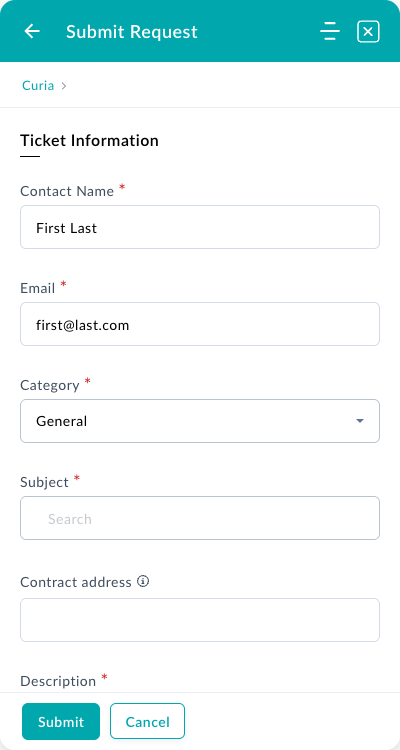
Support tickets are the fastest way to get help from our team. If you can't find the information you need or if you encounter a bug or issue:
- Open the support widget
- Click on "Submit a Ticket" or the ticket submission option
- Fill out all fields in the form:
- Contact Name: Your name
- Email: Your email address for responses
- Category: Select the most relevant category
- Subject: Brief description of your issue
- Contract address: If applicable to your issue
- Description: Detailed explanation of your issue
- Submit the form to create a support ticket
Tips for submitting effective support tickets
To help us resolve your issue quickly, please provide as much detail as possible. A helpful format to follow is:
"I tried to do X, but Y happened, and I expected Z"
For example:
- "I tried to upload a contract PDF, but received an error message saying 'file too large', and I expected it to upload successfully since it's only 8MB"
- "I tried to extract data from page 5, but the system extracted from page 6 instead, and I expected it to recognise the correct page"
The more specific information you provide, the faster we can identify and resolve your issue.
Who can use the support widget?
The support widget is available to all users of Curia. Whether you're a new user learning the system or an experienced user encountering an issue, our support resources are here to help you.
Additional support tips
- Check the knowledge base first for immediate answers to common questions
- Use the chatbot for quick guidance on features and workflows
- Submit a ticket for bugs, technical issues, or when you need personalised assistance
- Remember to include specific details about what you were trying to do and what went wrong
FAQ
How do I contact Curia support?
Use the in-app support chat, email support@curia.com.au, or browse the knowledge base for help.
What are support hours?
Support is available during Australian business hours.
How quickly will I get a response?
Response times vary based on issue complexity. Urgent issues are prioritised.
Can I request a feature or report a bug?
Yes, use the support channels to submit feature requests or bug reports to the Curia team.